
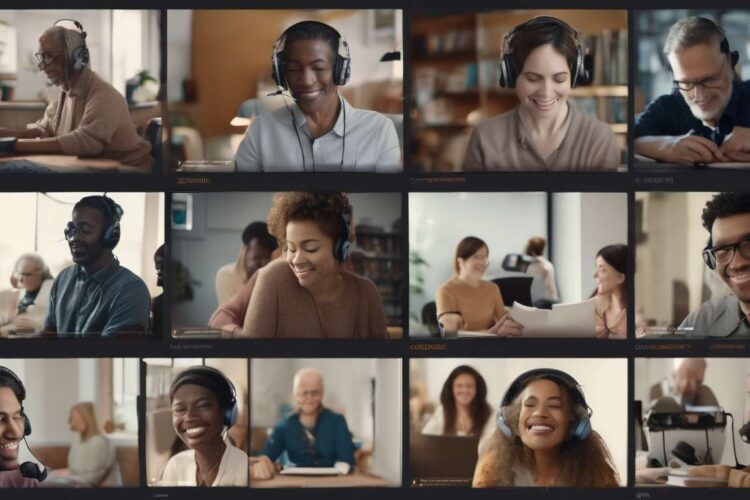
Contrasting a decade ago, adult media platforms primarily catered to able-bodied users; today there is a deliberate shift toward inclusive design that transforms access for millions.
Features such as captioning, audio descriptions, adaptable interfaces, and customizable playback settings are not mere add-ons but essential tools that redefine who can participate in media experiences.
As creators, platform operators, and advocates, we are rethinking policies, investing in accessible technologies, and listening to diverse user communities to close long-standing gaps.
Accessibility expands reach and enriches content quality, challenging assumptions about audience size and profitability.
We confront technical and ethical choices:
- How to balance privacy with personalization.
- How to standardize formats across services.
- How to ensure meaningful, not token, inclusion.
By examining successes and ongoing barriers, we aim to map a path where adult media platforms serve a broader spectrum of bodies, abilities, and desires without compromising safety or agency.
Historical Shift in Accessibility
Over the past two decades we’ve seen adult media platforms shift from minimal accessibility options to incorporating captions, audio descriptions, and customizable interfaces.
Early efforts were sporadic; now captioning is integrated into player settings, and audio description tracks are offered alongside visual content.
We’ve pushed for designs that let people tailor font size, contrast, and playback speed so everyone can engage comfortably.
This evolution didn’t happen overnight—we collaborated with creators, advocates, and users to prioritize inclusive practices that respect privacy and consent.
By normalizing these features, we’ve made clear that accessibility isn’t an add-on but a core value.
Our communities grow stronger when members can participate without barriers, and platforms that embraced these changes set new expectations for the industry.
Looking forward, we’ll continue refining tools and policies, ensuring that inclusion remains a shared responsibility and a measurable standard across platforms.
Captioning and Transcripts
We prioritize clear, accurate captions and searchable transcripts so everyone can follow dialogue, understand context, and find relevant content quickly.
We build captioning workflows that respect tone, timing, and speaker identity so conversations feel natural and inclusive.
We provide transcripts that are well-structured, searchable, and tagged for scene, speaker, and keywords, making discovery easier for users who want to engage on their own terms.
We know accessibility is more than a checklist; it’s a promise to include people with varied hearing, cognitive, and language needs.
We pair captions with metadata so clips, timestamps, and topic tags surface relevant moments for study or pleasure.
While audio description integration is handled elsewhere, we still coordinate with those teams to ensure captions and transcripts complement visual descriptions without redundancy.
We iterate based on user feedback, offering:
- Editable captions.
- Multilingual options.
- Exportable transcripts.
By centering clarity and control, we help everyone feel seen, heard, and empowered to explore content together.
Audio Description Integration
We integrate concise, vivid audio narration into content tracks so people who are blind or have low vision can fully experience scenes, actions, and visual context.
We create audio description that complements captioning rather than duplicating it, ensuring synchronized guidance during natural pauses and key visual moments.
We test descriptions for tone, pacing, and clarity so they feel respectful and immersive, helping viewers connect with characters and settings without interrupting dialogue.
We work with creators and community members to prioritize what details matter most.
- Expressions
- Gestures
- Costume cues
We offer easy options to toggle audio description on or off.
We monitor user feedback and analytics to refine scripts, aiming for consistent quality across series and standalone pieces.
We treat audio description as a core accessibility practice alongside captioning to make platforms more welcoming and inclusive.
- This helps everyone participate in shared experiences with dignity and full engagement.
Interface Customization Options
We let users personalize interface elements—like font size, contrast, control layout, and playback shortcuts—so everyone can tailor the viewing experience to their needs.
We provide layered accessibility settings that remember preferences across sessions, reducing friction and fostering a sense of belonging.
We include captioning controls for text size, background opacity, and language so dialogue and cues are readable without crowding the screen.
We offer dedicated toggles for audio description and synchronized captions, letting people enable or combine features with one click.
We design control layouts that can be simplified or expanded, and we let users reorder buttons and create quick-access presets for commonly used combinations.
We support high-contrast themes and adjustable focus indicators for easier navigation with keyboards and assistive devices.
We expose keyboard shortcuts and allow remapping so users can match controls to their muscle memory.
By making customization discoverable and reversible, we invite everyone to shape their environment, supporting dignity, comfort, and equal access to adult media experiences.
Privacy and Personalization Tradeoffs
Personalization improves comfort and usability but can require collecting sensitive preferences and usage data, so we set clear limits and give users control to protect privacy.
We minimize data collection and store only what’s necessary to deliver accessibility features (like captioning and audio description).
We provide straightforward toggles and granular consent options.
We explain in plain language how preferences are used, retained, and deleted.
When personalization is handled locally or anonymized:
- We keep records locally where possible (for example, remembering caption size or language preferences on the device).
- We anonymize analytics to prevent linking data back to individuals.
We offer easy ways for users to manage their data:
- Export settings.
- Erase settings.
- Opt out of profiling while retaining core accessibility functions.
By prioritizing privacy alongside personalization, we strengthen trust and belonging for diverse users.
That balance makes our platforms welcoming without forcing people to trade inclusion for exposure.
Standardization and Interoperability
We prioritize common standards and open formats so different platforms and assistive technologies can interoperate reliably and without extra user effort.
We believe inclusion grows when files, metadata, and player controls follow shared rules.
- When captioning files, audio description tracks, and control APIs behave predictably across sites and devices, users experience consistent access.
- Predictability reduces the need for retraining and lowers the cognitive load for people who rely on assistive tech.
We work to align with established specs and push for vendor‑neutral implementations that reduce friction for creators and consumers alike.
- Vendor‑neutral approaches make it easier for content creators and platform developers to adopt accessibility features without being locked into a single provider.
- Alignment with specs encourages broad tool support and long‑term stability.
We commit to clear versioning and well‑documented schemas so teams can adopt features without guessing.
- Consistent timecodes and styling cues in captioning enable reliable rendering across players.
- Uniform tagging of audio description tracks ensures those tracks are discoverable and usable everywhere.
Interoperability lowers maintenance costs, speeds deployment, and builds trust.
- People who rely on accessibility can expect their needs to be met whether they visit a newcomer site or a longtime provider.
- Reduced platform fragmentation benefits creators, platforms, and end users.
Together, we can make adult media platforms more welcoming by insisting on standards that center accessibility, dignity, and shared responsibility.
Community-Led Design Practices
We involve community members at every stage.
Co-design and participation:
- We co-design features, test prototypes, and shape priorities so platforms actually meet real needs.
- We gather diverse voices — creators, viewers with varied disabilities, and allies — and treat them as equal partners.
Clear accessibility goals:
- Together we set precise goals for accessibility:
- Precise captioning standards
- Consistent audio description practices
- Navigable interfaces
- Privacy-preserving consent flows
Iterative development and rapid feedback:
- We run focused workshops and short iterative sprints so feedback translates into concrete changes quickly.
- We prioritize low-effort wins that expand inclusion immediately and invest in deeper systemic fixes informed by lived experience.
Documentation and communication:
- We document decisions, share design artefacts, and maintain open channels so people feel seen and heard.
Training and empathy-building:
- We train internal teams using community stories to build empathy and technical skill.
Outcome — centering belonging:
- By centering belonging, we create platforms where participants trust that their needs shape product roadmaps.
- Improvements like better captioning and richer audio description become core features — not afterthoughts — reflecting community values and driving sustained participation.
Measuring Impact and Reach
We’ll track measurable metrics — like usage rates, satisfaction scores, and barrier reports — to understand how far our accessibility improvements actually reach and who still gets left out.
We’ll combine quantitative and qualitative data.
- Quantitative: how often captioning and audio description are enabled, session lengths, drop-off points.
- Qualitative: feedback from users who rely on these features.
We’ll survey for perceived inclusion and collect barrier reports.
- Survey for whether people feel respected and seen.
- Collect reports about missing controls or unclear labeling.
- Monitor satisfaction scores to detect changes in user experience.
We’ll set targets, publish progress, and iterate when gaps appear.
-
- Set measurable targets and timelines.
-
- Publish regular progress reports.
-
- Iterate on fixes when metrics reveal gaps.
We’ll disaggregate metrics by demographics and disability type to reveal who benefits and who doesn’t, then prioritize fixes that increase equitable reach.
We’ll share findings transparently and invite community input so decisions reflect lived experience and build trust.
Outcome: That way, our platforms won’t just add features — they’ll foster belonging.
How do content moderation policies affect the availability of accessible adult content for marginalized groups?
We see how content moderation policies shape access to accessible adult materials for marginalized groups.
Overly broad rules and automated takedowns often erase content meant for queer, disabled, or culturally specific audiences.
We push for clear, nuanced guidelines, human review, and community input so content stays available and safe.
We want systems that respect consent, privacy, and diverse expression while preventing harm without silencing vulnerable creators.
What training or certification exists for creators who produce accessible adult media to ensure quality and ethical practices?
What training and certification exists for creators who produce accessible adult media?
Industry workshops and conferences. Many conferences and industry workshops include sessions on accessibility best practices tailored for media creators. These often cover topics like captioning, audio description, content warnings, and inclusive design for adult media contexts. Attending live workshops also provides networking opportunities with accessibility professionals.
Formal accessibility certifications and courses. There are established certifications and courses that teach general digital accessibility principles that are directly applicable to adult media production:
- WCAG (Web Content Accessibility Guidelines) — standards and training on meeting WCAG success criteria for web-based content.
- Accessibility specialist courses — vendor- or university-offered programs (e.g., accessibility certifications, digital accessibility bootcamps) that cover testing, remediation, and accessibility strategy.
- Captioning and audio-description training — specific courses for creating accurate captions and high-quality audio descriptions.
Disability advocacy and sensitivity training. Workshops led by disability advocacy organizations focus on respectful representation, ableist language avoidance, consent and power dynamics, and collaboration with disabled talent. These help creators understand lived experience and ethical considerations beyond technical compliance.
Community-led peer review and ethics seminars. Peer-review groups and community ethics seminars (often run by creators and advocacy groups) provide practical feedback on content accessibility, trigger/content warnings, and community standards for respectful adult content. These are useful for iterative improvement and community accountability.
Collaboration with disability consultants and lived-experience experts. Hiring or consulting with disabled creators, performers, and accessibility consultants ensures content decisions are informed by lived experience. This can include contract work, long-term advisory roles, or paid focus groups.
Hybrid and on-the-job training approaches. Many creators combine formal courses, workshops, and direct collaboration to build accessible practice. Peer mentoring, apprenticeships with accessible producers, and in-house training programs are common ways to embed accessibility into production workflows.
Practical next steps for your project.
- Partner with advocacy groups — establish relationships with disability organizations to co-develop guidelines and training.
- Pursue formal accessibility courses — prioritize WCAG and captioning/audio-description training for technical compliance.
- Engage lived-experience consultants — hire disabled consultants and performers early in the creative process.
- Set up community peer review — create a paid feedback loop with disabled reviewers to catch context-specific issues.
- Run ethics and sensitivity workshops — make these mandatory for teams working on adult content.
Bottom line: There is a mix of formal certifications, applied workshops, advocacy-led training, and community review mechanisms available. Combining technical accessibility training (WCAG, captioning, audio description) with lived-experience consultation and ongoing community feedback will give the strongest foundation for producing respectful, high-quality, accessible adult media.
Are there financial assistance programs or subsidies to help small platforms implement advanced accessibility features?
We’re glad you asked about financial help for implementing advanced accessibility features.
Funding sources vary by region and industry, but commonly include grants, tech subsidies, and nonprofit partnerships.
Planned funding avenues:
- Government digital inclusion funds.
- Accessibility-focused foundations.
- Platform-specific developer grants.
- Crowdfunding campaigns.
- Revenue-sharing arrangements with creators.
- Vendor financing for accessibility tools.
Spending approach and priorities:
- Transparent budgeting to show how funds are allocated.
- Community input to ensure funds address real accessibility needs.
- Resource stretching to maximize impact and build sustainable, inclusive services.
Conclusion
You’ve seen how accessibility moved from niche add-ons to core features across adult media platforms, and how captions, transcripts, and audio description make content usable for more people.
Interface customization, privacy tradeoffs, and the push for standards shape your experience.
Community-led design keeps real needs front and center.
By measuring impact and reach, platforms can keep improving—so you’ll find media that’s not only inclusive but also respectful of your preferences and privacy.